
Chipotle
Chipotle Mexican GrillFood & Drink
4.768.53K Reviews
- Version
- 11.22.0
- Installs
- 10.00M
- Age Rating
- Everyone
Screenshots
Our Review of Chipotle
 Analysis by Appyee
I use the Chipotle app when I want to order a burrito bowl without standing in line, and its biggest strength is simple: it puts the restaurant’s ordering process in one place. The app is free to download, and it is made by Chipotle Mexican Grill for its Mexican food pickup and delivery service. In my experience, it works best when I already know what I want and need a quick way to customize the order, choose a restaurant, and arrange collection or delivery.
That convenience does not automatically make every order a better deal. The app gives free access to the ordering tool, but the food itself is still a purchase, and the final value depends on whether pickup, delivery, customization, and your own ordering habits fit the situation. I would recommend it to regular Chipotle customers, busy people who dislike queues, and anyone who wants more control over a customized meal. I would be less enthusiastic for someone who rarely eats there or prefers comparing several restaurants before deciding.
How the app fits into an everyday Chipotle order
The app belongs in the Food & Drink category, but I see it less as a recipe or restaurant-discovery tool and more as a direct ordering companion. Its store summary describes Mexican food pickup and delivery, while the short description simply identifies Chipotle. That narrow purpose is useful because the experience is focused rather than overloaded with unrelated food content.
A typical use is easy to picture. I might be leaving work, open the app, select a nearby Chipotle, build a bowl, and choose pickup so I can collect it on the way home. If I am ordering for other people, the app is also more practical than trying to remember every request at the counter. Each person can have a different combination, and I can review the order before sending it through.
The real advantage is not merely avoiding a line. It is the chance to slow down the customization step. At a busy counter, I may feel rushed while choosing ingredients. On a phone, I can check the bowl or burrito configuration before paying and catch an unwanted addition or omission. That makes the app particularly useful for picky eaters, households with different preferences, or anyone managing a meal around dietary choices.
Chipotle Mexican Grill has kept the product focused on its own restaurants, which means I do not open it expecting a broad marketplace. That is a strength when my destination is already decided. It is a weakness when I am hungry but undecided, because a general delivery service may show more restaurants and make price or menu comparisons easier.
What free access really means here
The app itself is free, so there is no purchase barrier just to install it and begin exploring the ordering flow. That makes it reasonable to keep on a phone even if I use it only occasionally. The important distinction is that free access to the app is not the same as a free meal or a guaranteed lower checkout total. I treat it as a free ordering channel, not as a discount promise.
For pickup, the app can deliver value by reducing waiting and making the order easier to prepare in advance. For delivery, convenience may matter more than the lowest possible total, especially when time or mobility is the priority. I would always inspect the final checkout screen before confirming, because the sensible choice can change depending on the order method and the distance involved.
This is also why I would not judge the app by the download price alone. Someone who visits Chipotle often can gain practical value from a smoother repeat routine, while someone who orders once every few months may not notice much benefit beyond avoiding a conversation at the counter. The app is free to try, but its usefulness is personal and tied to how often Chipotle is already part of your routine.
Where the experience saves time
Pre-ordering is the clearest time saver. Instead of arriving first and beginning the entire process, I can prepare the meal before I reach the restaurant. That is especially helpful during a short lunch break, before a meeting, or when I am collecting several meals at once. Pickup also lets me separate the decision-making from the moment of collection, which makes the visit feel more predictable.
Another useful workflow is reviewing the complete basket before sending it. With a group order, the risk is not only choosing the wrong ingredients; it is also forgetting a side, drink, or extra item that someone requested. Building everything in one session gives me a visible checklist. I still read the order carefully, but the digital review is less stressful than relying on memory while people are waiting.
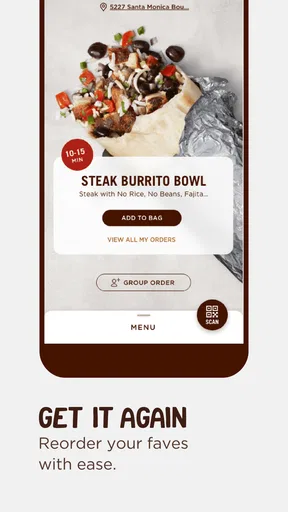
For repeat customers, the app can become a habit tool rather than something used only in emergencies. I can start from a familiar meal pattern and adjust it instead of rebuilding the idea from scratch mentally. That is a small convenience, but it matters when I am ordering while tired, commuting, or trying to feed a family without spending much time on the decision.
Customization is the main practical strength
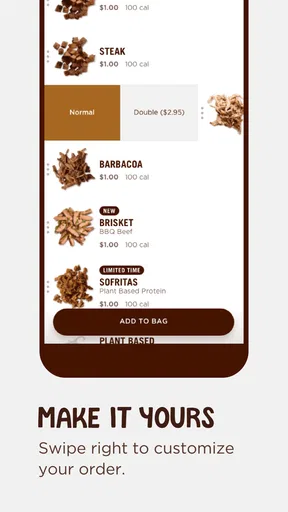
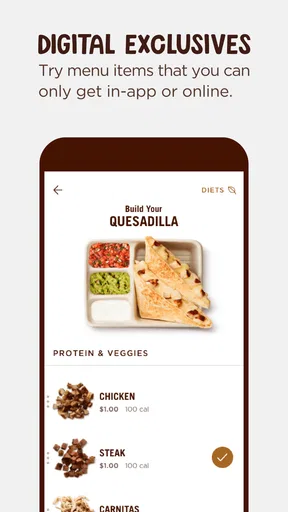
Chipotle orders are naturally modular, so a digital interface suits the menu. I can think through the base, fillings, toppings, and extras in sequence instead of trying to explain the whole meal in one breath. This is more than a cosmetic benefit: it helps me notice how a small change affects the final order and prevents accidental substitutions.
I find this particularly helpful when two meals look similar but are not identical. One person may want a bowl with one protein and a different topping, while another wants a burrito with a separate combination. At the counter, those distinctions can blur when everyone is speaking quickly. On the phone, each item has its own place, making the order easier to audit before submission.
There is a trade-off, though. More control can also mean more time spent making decisions. If I already know my usual order, the app feels efficient. If I am experimenting with every choice, the process can become slower than simply walking up and responding to the employee’s questions. The app is best when I value accuracy and preparation more than spontaneous ordering.
Delivery and pickup are not interchangeable
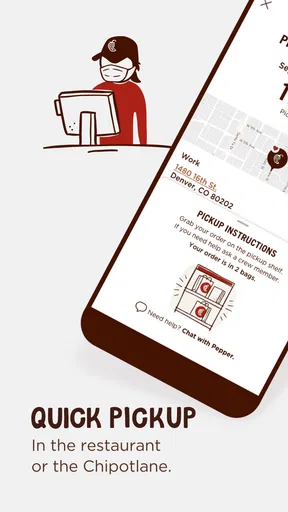
I see pickup as the stronger use case when the restaurant is conveniently located. It keeps the app’s main benefit—advance ordering—without making the experience depend entirely on a delivery journey. I can plan around my route and collect the food when it suits me, which is useful on a commute or during a quick errand.
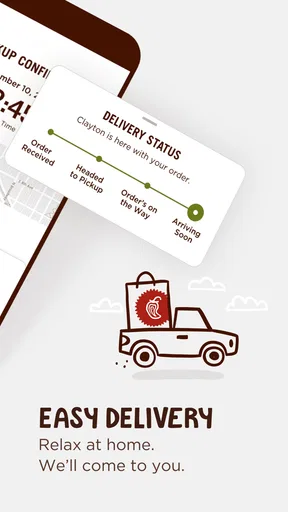
Delivery is more valuable when leaving home is difficult, when the weather is unpleasant, or when several people need food at once. It can turn the app into a practical household tool rather than a simple queue-avoidance option. At the same time, I would not choose delivery automatically. If speed, total cost, or food condition matters most, pickup may be the better trade-off when it is realistic.
My advice is to decide the priority before building the order. If the priority is control and a predictable collection time, choose pickup. If the priority is staying home, delivery may justify the extra convenience. Thinking about that first prevents me from treating the two options as if they provide the same value.
Small limitations that affect real use
The app’s focus can feel restrictive. It is designed around Chipotle, not around comparing menus from multiple restaurants. If I am choosing between Mexican food, pizza, sandwiches, and local options, I would rather begin with a broader delivery platform. Chipotle’s app becomes more compelling after I have already decided where I want to eat.
It also depends on the quality of the particular restaurant visit. An app can send an order clearly, but it cannot make every pickup equally convenient or guarantee that a busy location will feel calm. My experience is therefore shaped by both the digital ordering flow and the restaurant selected. I pay attention to the chosen location before confirming, especially when I am ordering for a specific time.
Another limitation is that digital convenience can encourage over-ordering. Browsing the menu and adding extras is easy, particularly when I am hungry or ordering for a group. I try to review the basket once with the question, “Would I have added this at the counter?” That simple pause helps keep the free app from turning into an unnecessarily expensive ordering habit.
I would also skip the app when I need a conversation with staff before deciding. A person at the restaurant can sometimes help explain an unfamiliar ingredient or make the interaction feel more flexible. The app is excellent for deliberate, repeatable choices, but it is not a replacement for every kind of in-person assistance.
Who will get the most value
Regular Chipotle customers are the obvious audience. If I already know the menu and visit often, the app can shorten the ordering routine, keep customization organized, and make pickup easier to plan. The free download makes trying it low-risk, particularly for someone who wants to test the process before committing to using it regularly.
It is also a good match for office lunches and family meals. In an office, I can assemble several distinct orders without passing a phone around a crowded table. At home, I can place an order while finishing another task and arrange collection or delivery around the household schedule. The value comes from reducing coordination, not from changing the food itself.
People who need to be careful with ingredients may appreciate the slower, more visible selection process. I can inspect each meal as I build it and avoid relying on rushed verbal instructions. I would still review the order at the end, because digital selection is only helpful when I actually read what is on screen.
On the other hand, occasional visitors may find the app unnecessary. If I am already inside a restaurant, there is no queue, and I want to ask questions, ordering face to face may be faster. Someone who mainly searches for the cheapest meal across different restaurants should also start elsewhere, since this app is not intended to be a general comparison service.
What the app’s popularity tells me
The app has a 4.7 average from around 548 thousand ratings, with roughly 68 thousand written reviews, and it has passed 10 million installs. Those figures suggest that it is not a niche experiment; many people use it as part of their Chipotle routine. I do not treat popularity as proof that every order will be flawless, but it does make the app feel established enough to consider for regular use.
It is rated for Everyone, which fits its straightforward restaurant-ordering purpose. The app was released on June 19, 2013, and the current version is 11.19.1, with a minimum operating system requirement of 9. That combination matters to anyone using an older device: before planning an order around it, I would make sure the phone meets the requirement and that the app runs comfortably.
The long history is reassuring in one practical sense. This is not an unfamiliar new app that I would install only for a single promotional event. It has had time to become a recognizable part of Chipotle’s digital ordering approach. Still, I judge it by the current experience rather than by age alone, because a long-running app can also accumulate changes that make an interface feel less direct to some users.
How it compares with ordering at the counter
Ordering in person remains better when I want immediate human guidance, have a question, or have not decided what to eat. The counter is also convenient when there is no line and I am already at the restaurant. In that situation, opening the app, selecting a location, and building the order may add steps rather than remove them.
The app wins when I need preparation before arrival. I can make the choices privately, check separate meals, and avoid holding up people behind me. For a familiar order, the digital route feels calmer and more repeatable. For a spontaneous order, the counter feels more natural.
Compared with a broad delivery app, Chipotle’s own app offers a more direct relationship with one restaurant brand and a more focused ordering experience. The broader alternative is better for comparing places, while Chipotle’s app is better when the restaurant decision has already been made. I would keep both options available rather than assuming one is always superior.
My practical ordering routine
When I use the app, I start by selecting the restaurant before spending time customizing the meal. That keeps me from building an order without considering where I will collect it or whether delivery makes sense. I then create each meal separately, checking the base and main ingredients before moving on to toppings and extras.
For a group order, I label the meals mentally by person and review them one at a time. I look for accidental duplicates, missing preferences, and extras that were added during browsing rather than requested. This is a simple habit, but it is one of the most useful ways to avoid a disappointing pickup.
Before confirming, I compare the convenience of pickup with the convenience of delivery and inspect the final total. Since the app is free but the meal is not, I do not assume that the easiest option is the best value. If I am already passing a restaurant, pickup usually makes more sense to me; if I am home with no easy way to leave, delivery may be worth choosing.
I also avoid ordering too early when my schedule is uncertain. Advance ordering is helpful only when I can reach the restaurant at a sensible time. A little planning makes the app feel like a time saver, while poor timing can turn the same feature into an inconvenience.
My final recommendation
Chipotle is worth installing if Chipotle is already one of your regular meal choices. It gives me a focused way to prepare customized orders, arrange pickup or delivery, and reduce the friction of feeding more than one person. The free app is easy to justify because I can try it without paying for the software itself, then decide whether its ordering convenience fits my routine.
I would skip it if I rarely eat at Chipotle, need to compare many restaurants, or prefer asking questions at the counter. In those cases, a general delivery service or an in-person order may serve you better. The app does not need to replace every alternative to be useful; it simply needs to make Chipotle orders easier for the people who already want them.
My verdict is positive but practical: use it for planned, customized meals and especially for pickup or group coordination. Do not mistake free access for automatic savings, and always judge the final order method against your time, distance, and budget. For that specific purpose, Chipotle delivers enough everyday value to earn a place on my phone.
Privacy and Permissions
See what permissions an app requests and how it handles your data.
- Location
- approximate location (network-based), precise location (GPS and network-based)
- Wi-Fi connection information
- view Wi-Fi connections
- Other
- view network connections, pair with Bluetooth devices, access Bluetooth settings, full network access, run at startup, reorder running apps, control vibration, prevent device from sleeping, read Google service configuration
Verdict
Strengths of Chipotle
- Easy ordering for pickup, delivery, or in-store collection.
- Menu supports customizable burritos, bowls, tacos, and salads.
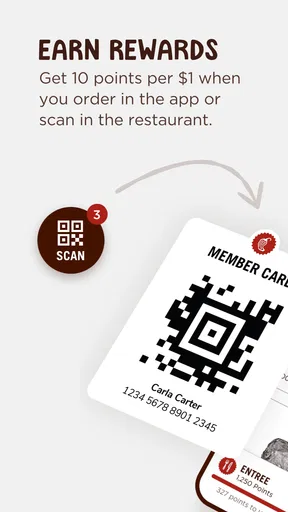
- Rewards program can provide points and occasional free items.
- Saved favorites make repeat orders faster.
- Nutrition and allergen details help with meal planning.
Limitations of Chipotle
- Delivery fees and service charges can significantly increase the total.
- Menu prices may vary by location and are not always budget-friendly.
- Customization options can be confusing for first-time users.
- Order availability depends on local restaurant hours and stock.
- App promotions may have restrictions, exclusions, or expiration dates.
Similar Picks in This Category
View All
Rappi: Food Delivery, Grocery
Rappi, Inc - Delivery3.5

McDonald’s: Cupons e Delivery
Arcos Dorados4.3

Swiggy: Food Instamart Dineout
Swiggy4.7

Blinkit: Groceries & more
Blinkit4.8

foodpanda: food & groceries
Foodpanda GmbH a subsidiary of Delivery Hero SE4.0

Zomato: Food Delivery & Dining
Zomato4.7
Frequently Asked Questions
What is the Chipotle app used for?
The Chipotle app lets you browse the restaurant menu, customize burritos, bowls, tacos, salads, and sides, and place pickup or delivery orders from your phone. During testing, the ordering process was straightforward, with saved favorites and recent orders making repeat purchases faster. Availability, delivery coverage, menu items, and ordering options can vary depending on your selected restaurant and location.
Can I customize my order in the Chipotle app?
Yes. Customization is one of the app’s most useful features. You can choose ingredients, adjust portions where available, add or remove toppings, select extras, and specify preferences for items such as bowls, burritos, tacos, and salads. Before submitting the order, review the complete summary carefully, because additional ingredients may increase the price and certain requests may depend on local restaurant availability.
Does the Chipotle app offer rewards or promotional deals?
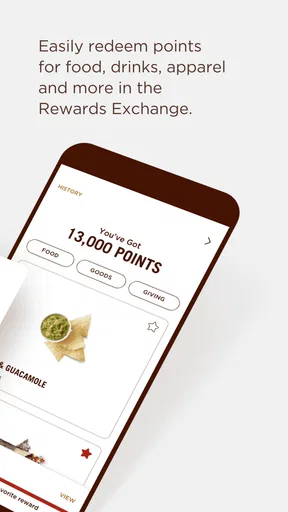
The Chipotle app includes access to the Chipotle Rewards program, allowing eligible users to earn points on qualifying purchases and redeem available rewards. Promotions, bonus-point events, and reward options can change over time, so the benefits shown in the app may not always be the same. You generally need to sign in and ensure your order is connected to your rewards account.
Can I order Chipotle for delivery and pickup?
The app supports different fulfillment options, including restaurant pickup and delivery where those services are available. Pickup may be convenient if you want to avoid delivery fees, while delivery can be useful when you cannot visit the restaurant. Estimated times, fees, minimum order requirements, and service areas vary by location, so check the final checkout screen before confirming your purchase.
Is the Chipotle app free to download and use?
The Chipotle app is generally free to download from the official Android or iOS app store, and there is usually no separate charge simply for creating an account or browsing the menu. However, your order total can include food costs, taxes, delivery charges, service fees, and optional tips. Prices and fees may differ by restaurant and ordering method, so review the total before payment.
